"With hundreds of new gTLDs at your fingertips, you can easily find a tailored domain that enhances your brand trust, strengthens security, and establishes your verified digital presence."
"The key to cyber security is to always stay one step ahead. Nowadays, no component of security solution in defending your website is more important than SSL/TLS. "
We all know that finding a cheap, reliable web hosting with unlimited user accounts is not a simple task so we've put all the information you need in one place to help you make your decision.
Shorter certificate lifespans are becoming the new norm. In 2029, the max validity period will be 47 days, meaning, in every 47 days, you need to redo all the SSL certificate process. And manual certificate management is time-consuming, non-scalable, and prone to human error.
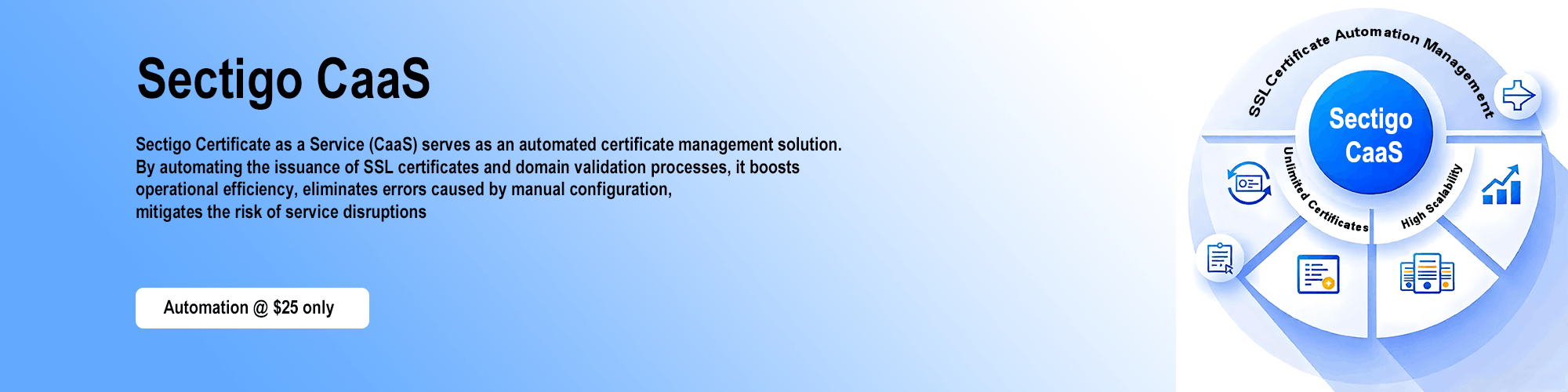
Sectigo CaaS automates certificate management, eliminates errors, reduces downtime, and frees website operators from manual burdens to focus on core business - not certificate management.
Why Sectigo CaaS?
Every SSL Ceritificates' process runs automatically at backend so you just focus on business matters!
You pay for each domain name, not each certificate, meaning you can get unlimited certificates.
If you need want scale up your domain names, you can add them at your will anytime.
It simplifies the process with automation. Saving your time and cost on website security.
Because of automation, you have no need deploying team on SSL certificates monitoring and manual replacements.
ACME Clients + Sectigo CaaS
A number of popular ACME clients supports Sectigo CaaS SSL Certificates, you will be able to pick the one which suites your requirements the best. Here are some quick examples of how you can setup the most popular with your new Sectigo Certificate.
Certbot is a free, open-source software tool developed by the Electronic Frontier Foundation (EFF). It acts as a client for the ACME protocol, and its primary function is to automate the process of obtaining, installing, and automatically renewing SSL/TLS certificates (especially from Let's Encrypt) on web servers like Apache and Nginx. It simplifies securing websites with HTTPS by handling the technical steps for you.
## First register your new Account Binding provided to you
certbot register --server {SERVER_URL_HERE} \
--eab-kid {EAB_KID_HERE} \
--eab-hmac-key {EAB_KEY_HERE}

## Request new certificate for domain
certbot certonly --server {SERVER_URL_HERE} \
--webroot -w /var/www/example -d mydomain.com -d www.mydomain.com

## Renew all previously obtained certificates that are near expiry
certbot renew
You can read more about the Certbot commands here.
Standing out as an ACME client implemented purely as a Unix shell script, acme.sh is a lightweight, open-source tool designed for automating SSL/TLS certificate management. It allows users to easily obtain and automatically renew certificates from numerous ACME-compliant Certificate Authorities. Its shell-based nature prioritises simplicity, high portability, and minimal dependencies, making it a flexible choice for command-line users and automated scripting across various systems.
## First register your new Account Binding provided to you
acme.sh --server {SERVER_URL_HERE} --register-account \
--eab-kid {EAB_KID_HERE} \
--eab-hmac-key {EAB_KEY_HERE}

## Request new certificate for domain
acme.sh --issue -d mydomain.com -d www.mydomain.com \
-w /home/wwwroot/mydomain.com --server {SERVER_URL_HERE}

## Renew the certificate or recheck for domain validation and issue cert
acme.sh --issue -d mydomain.com -d www.mydomain.com --server {SERVER_URL_HERE} --renew
You can read more about the acme.sh commands here.
Posh-ACME is a powerful and user-friendly PowerShell module that simplifies the process of obtaining and managing SSL/TLS certificates from ACME compliant certificate authorities. It allows you to automate certificate creation, renewal, and revocation directly from your Windows environment, making secure HTTPS configuration much easier. Think of it as your go-to tool for hassle-free certificate management in PowerShell.
## First register your new Account Binding provided to you
$eabKID = 'EAB_KID_HERE'
$eabHMAC = 'EAB_KEY_HERE'
New-PAAccount -ExtAcctKID $eabKID -ExtAcctHMACKey $eabHMAC -Contact 'me@example.com' -AcceptTOS

## Register the CA Server URL
Set-PAServer -DirectoryUrl {SERVER_URL_HERE}

## Request new certificate for domain
New-PACertificate example.com -AcceptTOS

# Renew all orders on the current account
Submit-Renewal
You can read more about the Posh-ACME commands here.
Win-ACME is a robust, open-source ACME client specifically developed for Windows environments. It provides system administrators and IT professionals with a streamlined and automated solution for obtaining and deploying SSL/TLS certificates. The tool simplifies the complexities of certificate lifecycle management, encompassing request generation, domain validation, and certificate installation, thereby enhancing the security posture of Windows-based web services and applications with minimal administrative overhead.
## Execute the following command to auto-enroll certificate on IIS using WinACME client
wacs.exe --baseuri {SERVER_URL_HERE} --verbose \
--accepttos --emailaddress me@example.com --eab-keyidentifier {EAB_KID_HERE} \
--eab-key {EAB_KEY_HERE}
You can read more about the Win-ACME commands here.
Sectigo CaaS FAQs
What is Sectigo CaaS?
Sectigo CaaS is a product that automates certificate issuance, validation, and lifecycle management via the ACME protocol. By subscribing to specific domains, ACME client operators can obtain unlimited certificates during the subscription period.
What is the ACME protocol?
The ACME protocol (Automated Certificate Management Environment) automates certificate issuance and management, enabling automatic certificate issuance and renewal without manual intervention, reducing human error risks, and ensuring business continuity.
Which certificates does Sectigo CaaS support?
Sectigo CaaS supports Domain Validated (DV) SSL certificates (available now), Organization Validated (OV) SSL certificates (coming soon), including single-domain, multi-domain, and wildcard SSL certificates. Extended Validation (EV) SSL certificates are not supported.
Does Sectigo CaaS use DNS, HTTP, or email validation?
ACME offers multiple domain validation methods. Sectigo CaaS supports DNS-based (dns-01) and HTTP-based (http-01) methods. Email validation is not supported by ACME as it cannot be automated.
What is the cost of Sectigo CaaS?
Sectigo CaaS is priced as an annual or multi-year subscription. It does not significantly increase the annual cost of equivalent certificates.
If we have example.com and www.example.com, are two FQDNs charged? Or does a nicrs.com subscription cover example.com, www.example.com, and any.nicrs.com?
If *.example.com is added to the subscription, www.example.com is covered by the wildcard domain with no extra charge, and also its example.com. If example.com is subscribed first and www.nicrs.com is added later, only one FQDN fee applies. Please note that you need to add domain name in order,
First example.com, and then www.example.com.
First *.example.com, and then example.com.
This website uses cookies to ensure you get the best experience on our website. Read our Privacy Policy to find out more.
Ok









 New conversation
 Submit a ticket
 Earn Money Now
 Search yourself
 Shop Now
 Submit